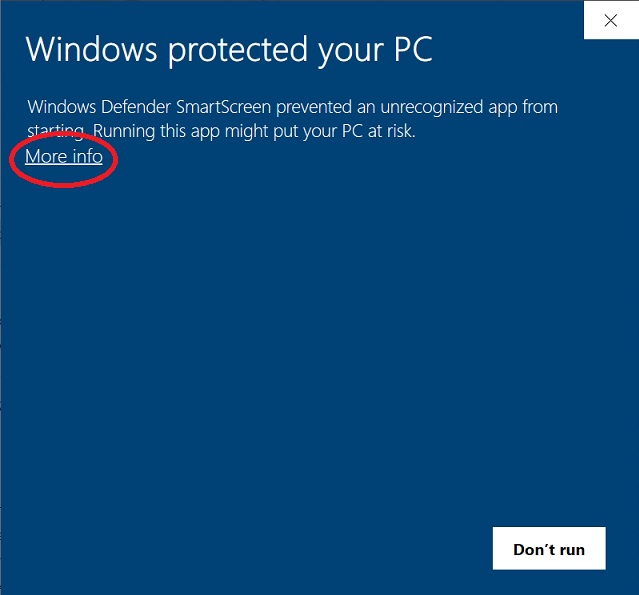
About Windows SmartScreen Warnings
Some users may see a Windows SmartScreen message when downloading or installing WorktreeX. We understand this can be unexpected, so we’d like to explain what it means and how to proceed safely.
Why am I seeing this message?
Windows SmartScreen is a standard security feature designed to help protect users from unfamiliar or potentially unsafe applications. It can sometimes appear for newly released software, even when that software is legitimate and properly signed.
SmartScreen works partly on reputation: software needs a period of real-world usage before Microsoft automatically recognises it as widely trusted. Because WorktreeX is a new release from Kleverin, some users may see this message while that reputation is being established.
Importantly:
- This does not mean there is a security issue.
- WorktreeX is EV code signed and published under the verified company name Kleverin Limited.
- SmartScreen warnings can also appear for unsigned or unknown publishers, but that is not the case here.
How do I know it’s safe to continue?
When Windows SmartScreen appears, the most important thing to check is the Publisher name shown in the prompt.
You should only continue if the publisher matches what you expect.
For WorktreeX, the publisher should be listed as Kleverin Limited.
How to proceed with the installation
1. During download
Your web browser may display a warning when downloading the installer. If this happens:
- Right-click the download
- Select “Keep” (or “Keep anyway”, depending on your browser)